Operations
Time Trakker
Time tracking for employees and other resources, with a live connection to Spire. Enter a timecard once and post it independently to Payroll, Job Costing, and Sales — on Windows, iOS, and Android.
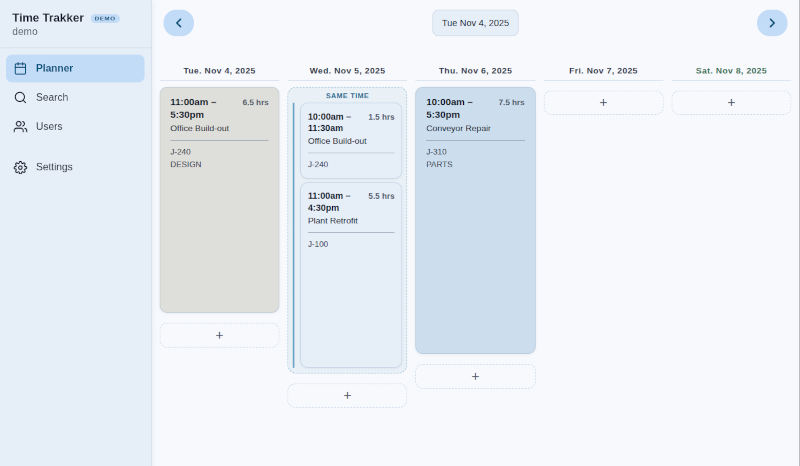
Online demo
Try Time Trakker in the browser
This is a self-contained demo of the Time Trakker app — planner, search, users, and settings — with no live Spire company behind it. Sign in with username demo and password demo. Events and users are stored only in this browser and are cleared when you close it.
Open the online demoSpire
One timecard, three modules
No double entry. Transfers into Spire are controlled by an admin user and run automatically. Each module can receive the same event independently.
-
Job Costing
Live connection to active jobs and accounts. Pick the job, then the account on that job. Descriptions are stored separately from payroll so job costing can stay real-time.
-
Sales Orders
Live connection to sales orders, with dropdowns for orders and billing codes. Descriptions can go to sales-order comments. Windows can post details, details with comments, or a summary for the selected period.
-
Payroll
Regular and overtime calculate automatically. Pay-period start and end dates come from the payroll schedule set up in maintenance.
Windows
Planner and timecard entry
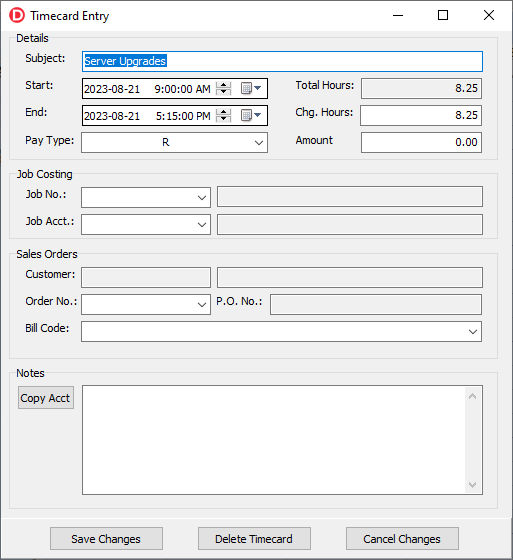
On Windows, change time by typing or by dragging on the planner. Reports, privileges, and non-Spire calendar items stay on the desktop client.
- All events can have time entered or changed by hand, or by drag-and-drop on Windows.
- Calendar can show non-Spire events such as appointments and other resources.
- Detailed and summary reports by employee and by resource, for all modules.
- User access based on assigned privileges.
iOS and Android
The same data on the phone
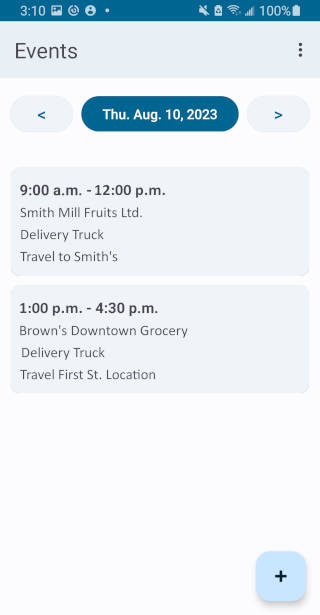
Sign in per user. Pick jobs and accounts from dropdowns, browse past days on the calendar, and save. An entry saved on Windows shows up on the phone in real time — the same source data, not a second copy.
-
 Sign in
-
 Day’s events
-
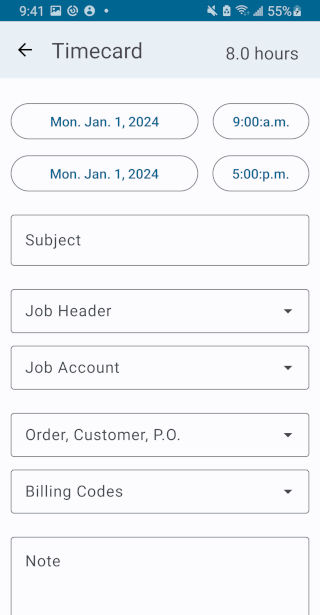 Timecard
-
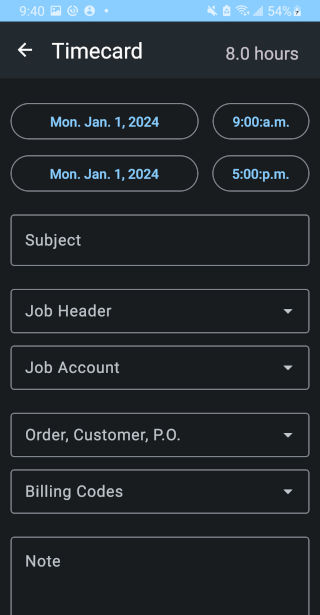 Dark mode
See Time Trakker against your Spire company
The online demo is a sandbox. For a walkthrough against payroll, jobs, and sales orders in your own Spire, ask us.
Contact us